
A good educational video has to do something genuinely difficult: take an abstract or complicated idea and make it visible, without losing accuracy in the process. A teacher explaining photosynthesis, a course creator walking through a historical event, an instructor demonstrating a scientific process — all of them need visuals that actually clarify the concept rather than just decorate it.
Producing that kind of visual explanation has traditionally meant either animation software with a real learning curve, or stock footage that rarely matches what’s actually being taught.
Seedance 2.5 is an upgraded iteration of Seedance 2.0, designed to deliver better AI video quality, consistency, and creative control. Dreamina’s Seedance 2.5 model gives educators a far more direct path from a concept to a clear, accurate visual explanation.
Why teaching visuals are harder to produce than they look
Educational content has a narrower margin for error than most other video categories. A visual that’s slightly inaccurate doesn’t just look unpolished — it can actively confuse the person trying to learn from it. This raises the bar for anyone producing teaching material, since a visual has to be both engaging and precisely correct, a combination that’s hard to achieve with generic stock footage and hard to produce quickly with traditional animation tools.
Animation software in particular tends to demand real technical skill just to represent something simple, like a process unfolding over time or a system with several interacting parts. For educators without that background, the easiest option was often to fall back on static diagrams or narrated slides, even when a moving visual would have explained the concept far more clearly.
What makes Seedance 2.5 useful for producing teaching visuals
Seedance 2.5 was built to turn a clear explanation into an accurate, moving visual without requiring animation expertise to get there.
Complex processes render clearly and naturally
A wide range of long-tail, specific actions now render smoothly and convincingly, which matters directly for education, where a process needs to be shown accurately rather than approximated. A sequence of cause and effect, a step-by-step demonstration, or a natural phenomenon unfolding over time can be generated with enough clarity to actually support understanding.
Reference images anchor accuracy where it matters most
Uploading a diagram, photo, or reference image gives the model a concrete anchor for how something should look, which is especially useful in education, where visual accuracy carries real weight. A labeled diagram or real photo can guide the video toward a result that stays faithful to the actual subject matter.
Consistency keeps a multi-part lesson coherent
Cumulative errors that used to build up across a sequence are largely resolved, so a longer explanation — one that moves through several steps or stages — stays visually consistent from beginning to end, which matters for lessons that build progressively rather than covering one isolated idea.
Multilingual support extends a lesson to more learners
Comprehensive language support, with strong optimization for Chinese, English, Spanish, Indonesian, and Malay alongside full coverage of Thai, Arabic, Portuguese, Vietnamese, Japanese, and Korean, makes it easier for educators to produce material that reaches students beyond a single language, without a separate translation and re-recording process for each version.
Produce a teaching video in three steps
Step 1: Write a detailed text prompt and add a reference image
Visit Dreamina, sign in, and head to the “AI Video” section. Click “Add reference image” to upload a diagram, photo, or reference material relevant to your lesson. Then write a prompt describing the concept, process, and pacing you want the video to demonstrate.
A detailed prompt for a 30-second sequence might read: A cross-section view of a plant’s root system underground, water gradually being absorbed and traveling upward through the stem toward the leaves, illustrated in a clear, semi-realistic style with visible internal structures, calm blue and green color palette, camera slowly tracking upward following the water’s path, clear and steady pacing, educational and focused tone, minimal narration-friendly ambient sound.
Step 2: Choose parameters and generate
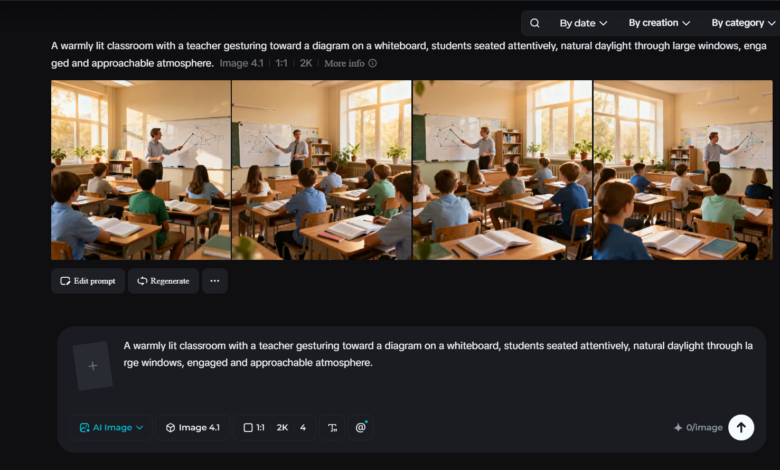
With your prompt and reference ready, select the Seedance 2.5 model for generation. Choose your video length, then pick an aspect ratio suited to where the lesson will be shown — 16:9 for a classroom projector or online course platform, or 9:16 for short-form educational content on social platforms. Click Dreamina’s generation icon and let it turn your explanation into a clear, visual demonstration.
Step 3: Edit and download
Once the video is generated, use Dreamina’s AI editing tools to make any final adjustments before saving. Upscale sharpens resolution for a cleaner, more legible finish, especially important for any fine visual detail a lesson depends on, while Generate Soundtrack adds narration-friendly background audio if needed. Once it’s ready, export the video and download it, ready to upload to a classroom platform, course library, or learning app.
Keeping accuracy at the center of the lesson
A few habits help educational content stay both clear and correct. Uploading an accurate reference diagram or photo whenever precision matters gives the model a stronger anchor than a text description alone.
Breaking a complex process into a clearly sequenced prompt, step by step, tends to produce a more coherent result than describing the whole concept in one dense block. And reviewing the generated video against the actual subject matter before publishing helps catch anything that needs a small correction.
Making abstract ideas visible
Good teaching has always depended on making an idea visible, not just describing it, and that’s exactly the step that used to require the most specialized production skill to pull off well.
With Dreamina and its Seedance 2.5 model, educators can move from a clear explanation to an accurate, engaging visual far more directly, giving more classrooms and courses access to the kind of visual clarity that used to be reserved for well-funded productions.